Use your own words.
Describe the sound in plain musical terms: an instrument, a texture, a feeling. No technical jargon needed. Type your idea or build it visually with Blocks. sonarch chooses the engine and builds the patch.
“a warm, spacious pad”Stay in your flow
See us atSynthfest2026
A synthesiser you can program in musical language. Describe a warm bass, a glassy bell or a pad that slowly opens up. sonarch chooses the right engine, builds the signal flow, connects the controls and delivers the sound you asked for, ready for you to play, edit and save.
Version 1.0 · macOS & Windows · VST3 & AU plug-in or standalone · Runs entirely on your computer
Introductory price $79 USD until December 31, 2026 · Regular price $99 USD from January 1, 2027
One-off purchase, perpetual licence · Excludes applicable sales tax
Watch it work
Then a few more words: add vibrato to the mod wheel.
This isn’t preset recall. This isn’t AI. sonarch builds a fully customisable DSP signal path from your description, ready to play, shape and make your own.
Text to sound.
At lightning speed.
Why we built sonarch
Go deep because you want to.
Not because you have to.
We’re musicians. We love making music, and we love sound design too. But when a track is taking shape, the most important thing is staying with the idea.
Often, you already know the kind of sound you need. You just want to get to it, without opening another handful of plugins or remembering which oscillator, envelope and delay settings made that sound on that synth.
That’s why we built sonarch. Describe what you hear in your head, try the sounds, then refine, change direction or start again in words. You don’t need to move a control or understand the signal path to keep creating.
And when sound design is the moment? Open up the instrument and explore. The depth is there. The detour is optional.
You don’t need to know which synth to open or which knob to turn. Start with the sound you want.
Describe the sound in plain musical terms: an instrument, a texture, a feeling. No technical jargon needed. Type your idea or build it visually with Blocks. sonarch chooses the engine and builds the patch.
“a warm, spacious pad”Explore Literal, Characterful, Modern and Wildcard. Press Hold to keep the sound playing while you compare A–D and turn the PLAY knobs. Or enable Auto-preview to audition each variation as you select it.
Literal · Characterful · Modern · WildcardAfter shaping a sound with a knob, keep the original description and append a change. Refine applies the addition while keeping your edits. Use the refinement Undo arrow to compare. Generate starts fresh.
“juno bass” → “juno bass with soft pad”Hear it in action
Short demo tracks built from described sounds. Every instrument you hear was generated from a single sentence.
Blocks · visual patch creation
Prefer to pick rather than type? Blocks lets you build and refine a sound simply and quickly: era, sound model, archetype, tone, shape, motion, space and finish, each one a musical choice, not a parameter.
Explore the instrument
Keep the essentials close. Open up the instrument when you want to take an idea further.
Compact view
Press Hold, compare A–D, then shape the sound with the PLAY knobs. Hover a knob to see what it does; right-click it for MIDI Learn and assign your controller.
Actual product screenshot · select image to enlargeBuild a sound in stages
These clips compare fresh generations from each complete description. In the instrument, use Refine after a manual edit to apply an appended change while keeping your sound and edits.
Choose your starting sound
FM electric piano, dry
A bell-like electric piano, played through three chords. Start dry to hear its attack and decay clearly.
Real sonarch engine renders. Choose a sound and a stage, then press play.
Four deliberate readings
Same words. Four interpretations from the real engine, each a deliberate reading of your description.
“wavetable lush strings”
Advanced · the full instrument
Behind every generated sound is a complete synthesiser. Open the Advanced view and sonarch exposes up to 64 controls across Sources, Tone, Motion, Connect, FX and Perform, plus a five-band parametric EQ, for endless tweaking and refinement. Every one of them can be assigned to your MIDI controller. And because each synthesis model keeps its own architecture, the controls you see always belong to the character of the sound.
Keep the recipe
Click Why in the instrument header to open your sound’s how-to sheet. See its sources, filter, envelopes, movement and effects, and find out which words shaped the result.
See what was read, what was chosen and what wasn’t acted on. Explore the live settings and save the sheet for later. Use the step-by-step guidance as a starting point for recreating the sound on another synth, where its capabilities allow.
Make music first. Learn the sound design when you want to.
Six synth engines
Three engines deliver vintage character. Three more bring modern tones and body. Describe the sound you need, then refine it into something that fits your music.
Explore the classics
Rich basses, lush strings and singing leads. Bring classic analogue character to your next part.
Classic four-operator FM character. Explore bell-like electric keys, metallic tones and expressive digital sounds.
Glassy pads, hollow bells and shifting tones. Start with the character of vintage wavetable synthesis and follow it somewhere new.
Take it somewhere new
Explore expressive keys and metallic textures with six operators and 32 classic routing algorithms. Edit the operators and envelopes, or browse and import voices from compatible 32-voice SysEx banks.
Bring sampled character into a synthesis workflow, with dual-source blending and moving textures. Choose a saK1 sound from the existing catalogue or request saK1 in Text; it is not a Blocks sound-model choice.
Explore analogue and wavetable sources, spectral colour and resonant bodies. Shape an evolving pad with drawn modulation curves, then follow Sources, Tone / Body, Motion and Connect to hear how it works.
sonarch isn’t trying to replace your hardware or an 80 GB sample library. It has a different job: give you quick, repeatable access to the kinds of sounds you’re looking for, with the flexibility to make them your own.
The machine models capture the architecture and calibrated character of their inspirations; they aren’t component-by-component replicas. The aim is the right kind of instrument, programmed for your words.
Arpeggiator & step sequencer
Let the arpeggiator turn your held notes into a moving pattern. Go up, down or back and forth, and hear a simple chord become the start of a track.
Try a bass with a soft pad layer. Use the part selectors and mute buttons to hear each layer, then adjust their balance. In Pattern Lab, select a part and shape up to 16 steps with notes, lengths and velocities. Return to PLAY and right-click a macro for MIDI Learn to perform the sound with your controller.
From the creator
I’m a musician myself, and over the years I’ve accumulated a room full of hardware synths, plug-ins and terabytes of sample libraries, only to increasingly find myself overwhelmed by the choice and complexity.
Quite often, I don’t want to spend twenty minutes searching for a sound. I already know roughly what the arrangement needs, and I want to get there while the idea is still fresh.
That’s why I built sonarch, short for Sonic Architecture.
The aim was never to replace the joy of sound design or the studio full of hardware. It was to create a faster route from hearing an idea in your head to having a playable instrument in front of you, without breaking the creative flow.
System requirements
sonarch runs standalone or as a VST3 / AU plug-in.
AAX (Pro Tools) is not currently supported. CPU load depends on the patch, polyphony and sample rate; it is comparable to other modern software synthesisers of similar depth.
A little more about sonarch
No. Start with words you’d use with another musician: warm, bright, soft, punchy. sonarch programs the instrument and puts useful controls within reach.
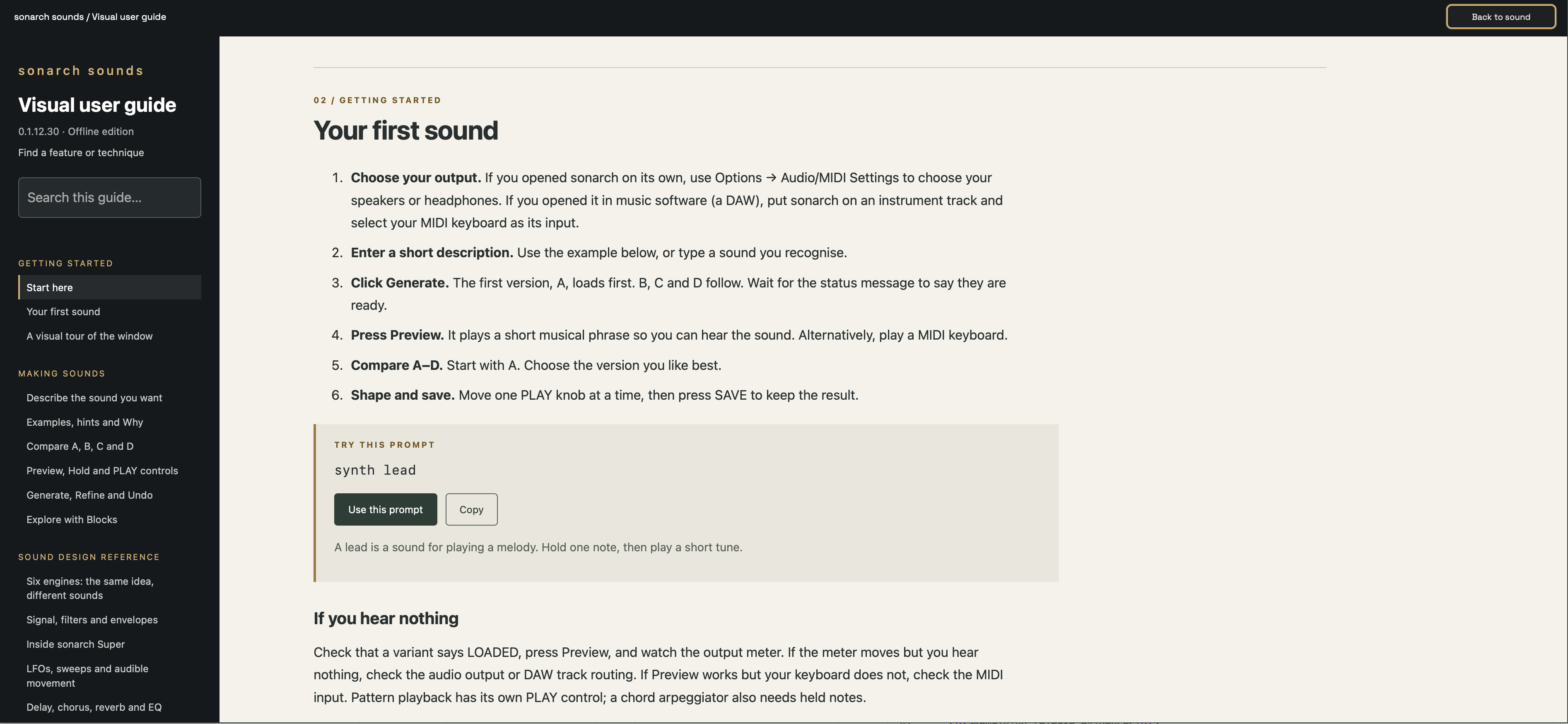
We’ve tried to keep sonarch intuitive and easy to use for everyone. For those who want to go deeper into the synthesis engine, sonarch exposes a lot of features and depth. To help, we’ve built an interactive user guide into the instrument, with examples and walkthroughs, from your first sound to the six engines, filters, envelopes, modulation and effects. Open it from the settings menu. Each guide prompt can be sent straight to sonarch, so you can read about a technique and hear it in the same moment.
No. sonarch is a synth-engine patch-generation system. It interprets your description, selects an appropriate engine and dynamically builds a playable patch, configuring the sound sources, signal path, modulation and effects to shape the tone you asked for. It isn’t just matching your words to a list of finished presets. The sound and its controls stay editable: change its character, refine individual elements or start again, using words or the synth controls.
No. sonarch runs entirely on your computer, from understanding your words to building and playing the sound. Your descriptions aren’t sent to a server, and no part of sound generation happens in the cloud. No account, no internet connection and no waiting for a cloud service. Just describe the sound and keep playing.
Yes. Play with a MIDI keyboard or use the built-in preview. Compare variations, shape the sound with controls or refinements, and save the result.
No. A one-off purchase gives you a perpetual licence to sonarch. No recurring subscription payments, keep your focus on making music.
The same prompt produces repeatable results within the same software and rulebook version. Qualification may limit the available variations. Save the patch to keep your chosen sound and edits. The readable patch format also makes it possible to inspect and share what you’ve made.
Yes. Build a two-part patch, such as a pad with a pluck, and refine the parts. If a description could mean a layer or a characteristic of one sound, the explanation helps you see how it was interpreted.
sonarch 1.0 supports macOS and Windows. Use it as a plug-in in compatible music software or as a standalone app. AU and VST3 are available on macOS; VST3 is available on Windows. See the full system requirements.
Your next instrument · Version 1.0
macOS & Windows
VST3 & AU plug-in & standalone
Introductory price until December 31, 2026
$79 USD
Regular price $99 USD from January 1, 2027
One-off purchase, perpetual licence · Excludes applicable sales tax
Opens your email app · this website does not collect or store your address